What to Wear on Camera and Bring to a Studio Shoot
Knowing what to wear on camera saves a shoot before it starts. Solid colors, no fine patterns and one change of clothes cover most of it. However, the small things matter too: a striped shirt that shimmers, a logo tee that dates the video, a white shirt that blows out under the lights. So this is the prep sheet we send before every one-off shoot. It covers what to wear, what to avoid, what to bring for the desk and how to arrive so the first hour is not lost.
What to wear on camera, in one list
Why wardrobe causes reshoots
Wardrobe problems hide until the footage plays back. A shirt looks fine in the mirror, then shimmers on screen. So by the time anyone notices, the take is already done, and the fix is doing it again.
Some problems are about the camera. Fine patterns create a moving shimmer, and pure white or pure black loses detail under studio light. Others are about time. A logo tee or a trendy print can make a video look dated sooner than you want.
The good news is that every one of these is avoidable before you leave the house. In short, a little planning beats a reshoot. The outcome: a session that starts clean and stays usable for a long time.
What to wear on camera at a glance
Here is the whole prep sheet in one view. Also, each row is one choice you will make before the shoot. Then the last two columns show why it matters and what you will notice in the footage.
| Trait | What it means | Where it comes from | What you notice |
|---|---|---|---|
| Solid mid-tones | Navy, charcoal, deep green, muted jewel tones | How colors read under studio light | So you look sharp and natural |
| No fine patterns | Skip thin stripes and small checks | How cameras handle fine detail | Then nothing shimmers on screen |
| No pure white or black | Choose softer tones instead | Studio lighting | So detail stays in the fabric |
| No logos | Plain clothing without brand marks | Keeping the video current | The video does not date as fast |
| One change | A second outfit for the second half | The batch session | So it looks like two days of content |
| Desk items | Notes, props, numbers for the screen | Your prep | Then takes stay short and clean |
What to wear on camera: what reads well under studio light
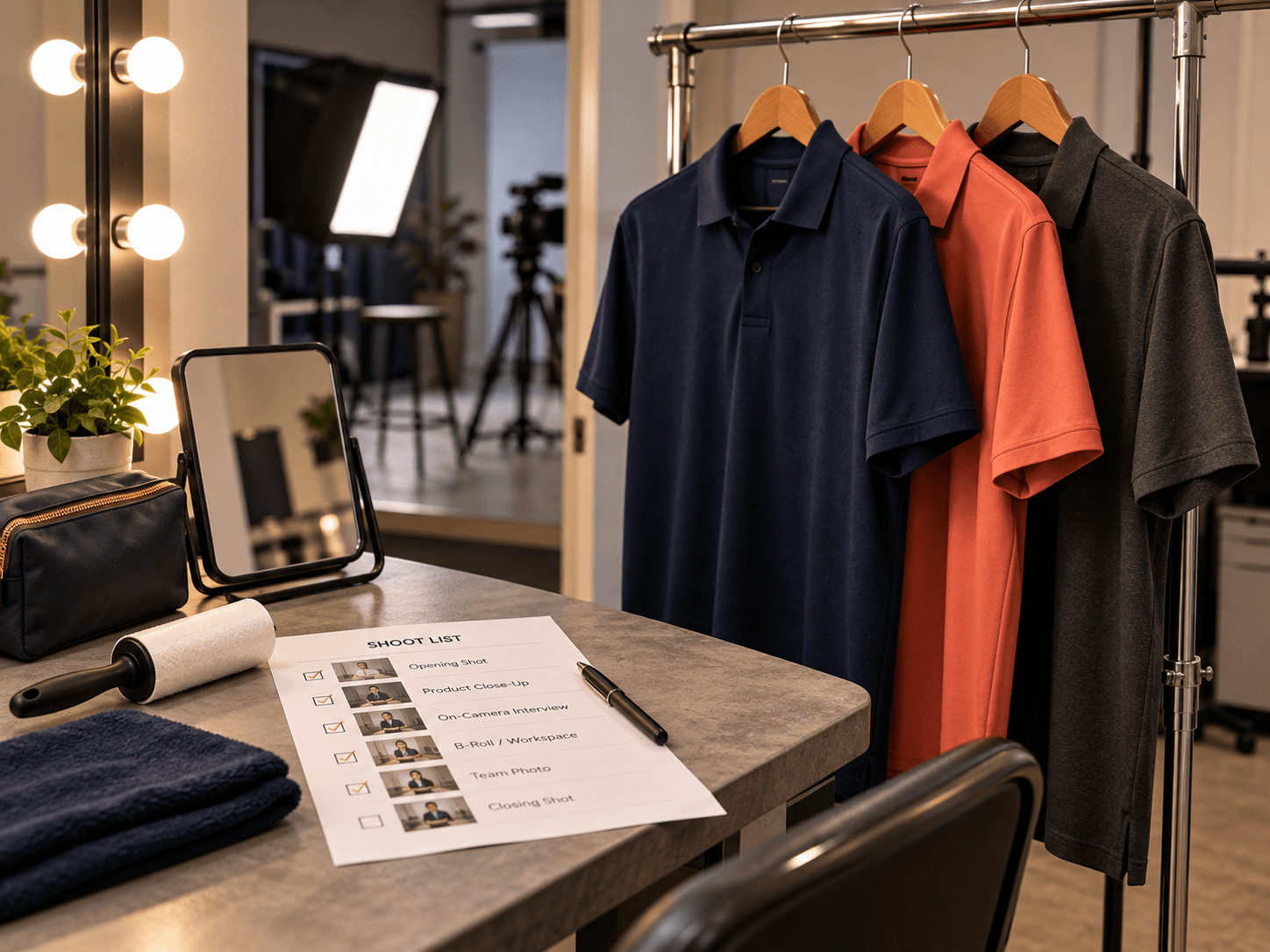
Solid mid-tones read best under studio light. Think navy, charcoal, deep green and muted jewel tones. They hold their color on camera, tend to flatter skin tones and keep the focus on your face.
Fit matters as much as color. So choose clothes that fit well and are pressed, since wrinkles can show on video. Also, if your brand has a signature color, a mid-tone version of it can tie the video to a strong brand identity online. The outcome: you look like yourself on a good day.
What to avoid: patterns, logos, pure white, pure black
Four things cause a lot of wardrobe trouble on camera. Each one is easy to skip once you know about it.
- Fine patterns: thin stripes, small checks and tight herringbone shimmer on video, so leave them at home.
- Logos: a logo tee, including someone else's brand, pulls attention and can date the video.
- Pure white: it can blow out under the lights, so pick off-white or a soft color instead.
- Pure black: it can swallow detail, so charcoal or navy usually reads better.
If a video includes a customer testimonial, wardrobe is only part of the prep. Also check the endorsement guidance from the Federal Trade Commission before you film. The outcome: footage with nothing on screen fighting your message.
Glasses, jewelry, hats and hair
Accessories are fine, as long as they stay quiet. Here is the short version.
- Glasses: wear them if you normally do. Tell us ahead, so the lights are angled to avoid glare, and anti-glare lenses help.
- Jewelry: keep it simple, since pieces that clink or swing can be heard on the microphone.
- Hats: skip them unless they are part of your look, because a brim can shadow your eyes.
- Hair: style it the way you normally wear it, so you look like yourself to customers.
In short, the camera should see you, not your accessories. The outcome: clean shots and clean audio on the first take.
How many changes to bring and why one is enough
One change is enough. It lets a batch session look like two different days of content. So the first half of the session is one look, and the second half is another.
More changes sound useful, but they cost time. Each one means stopping, changing and checking the frame again. Therefore, one well-chosen second outfit gives you variety without eating into filming time. Bring it ready to wear, on a hanger, so the switch takes minutes. The outcome: two looks, one session and no time lost.
What to bring for the desk: notes, props, numbers for the screen
What you bring for the desk matters as much as what you wear. So pack these before the shoot.
- Your notes: a sentence or two per video, so every take starts with a clear point.
- Any props: products, tools or samples you want to show on camera.
- Numbers for the screen: figures, prices or graphics you want added, so the edit does not wait on them.
Notes are what turn a session into a stack of useful videos. Our guide to content that builds brand authority covers how to pick the topics. Then, when the videos go online, the guidance on web.dev helps keep them from slowing your pages. Also, the best stills and clips belong on your Google Business Profile, and Google's help pages cover the photo and video guidelines. The outcome: a desk ready to film the moment you sit down.
Tailored content strategies →Arriving right: timing, food, water, phone
How you arrive decides how the first hour goes. So a few habits help.
- Timing: arrive a little early, so there is time to settle in before the lights come on.
- Food: eat beforehand, because a hungry host can run low on energy by the second half.
- Water: bring some, since talking on camera can dry your voice out.
- Phone: silence it, then leave it out of reach so it cannot buzz during a take.
At VenPro Solutions, we believe a shoot should start the minute you sit down. That is why we tell you everything before you arrive. The outcome: a first take that happens in the first few minutes, not the first hour.
Sun City Podcast Studio →Frequently Asked Questions
Q1 What is the short answer on what to wear on camera?
Q2 What colors look best on camera?
Q3 Should I bring a change of clothes?
Q4 Can I wear glasses on camera?
Q5 What else should I bring?
Booking a shoot? Message us SHOOT
So now you know what to wear on camera: solid mid-tones, one change, no fine patterns or logos, and quiet accessories. You also know what to bring for the desk and how to arrive. If you are ready to book, the next step is one word. Message us SHOOT on Instagram or Facebook with what you want to film.