The meta pixel ownership agency question sounds technical, and it is really a question about money you already spent. A pixel is the piece of your site that reports back to Meta. Also, it keeps a record, and that record grows every month your ads run. So the pixel is not a gadget. It is a ledger built with your budget, and whoever holds it keeps the ledger when the relationship ends.
What A Pixel Is, Without The Jargon
A pixel is a short piece of code on your website. When someone lands on a page, adds to a cart or fills a form, the code tells Meta what happened. Then Meta uses that signal to find more people who behave the same way. That is the whole idea, and it needs no more explaining than that.
However, the useful part is not the code. Any developer can install the code in ten minutes. The useful part is everything the pixel has already seen, because that history is what makes your ads cheaper over time. So a pixel is worth exactly as much as the record behind it.
One more thing about the code itself. A pixel carries an ID, and that ID ties every past event to your account. So swapping the code on your site changes nothing if the ID stays the same. Change the ID and you have a new pixel, whatever the install looks like from the outside. In fact, the ID is the only part that matters here.
The Three Things A Pixel Accumulates
Three separate assets stack up inside a pixel, and people usually think of only the first. Read the first column as the asset, then the rest as where it comes from and what you would notice without it.
| Trait | What it means | Where it comes from | What you notice |
|---|---|---|---|
| Events | The raw record of what visitors did on your site. | Every session since install | So a new pixel reports nothing on day one. |
| Conversions | The actions you told Meta to count as a win. | Your own setup choices | Then reporting restarts with no baseline to compare. |
| Learning | The model Meta built of who buys from you. | Months of paid traffic | Also, costs rise while the system relearns. |
| Audiences | Retargeting pools drawn from site visitors. | Traffic you already paid for | In fact, these empty out and refill slowly. |
How To Check Your Meta Pixel Ownership Agency Setup
First, open Meta Events Manager and find the pixel your site uses. Second, look at the owning business shown on the pixel itself. Third, compare that name to your own Business Manager name, because the two are often not the same thing.
Then check one more screen. In Business Settings, under data sources, your pixel should appear in your own list rather than as a shared item from somewhere else. So if you cannot find it there at all, the pixel lives in another container and you hold access to it, not the thing itself. This runs parallel to the wider work of how paid advertising turns clicks into conversions.
Also, check who can edit the pixel while you are in there. Editing rights and holding rights are separate settings, and plenty of owners have the first without the second. Then look at the list of people with access. A long list of names from a vendor you stopped working with two years ago is common, and it is worth clearing either way.
Social media marketing in El Paso
What A Fresh Pixel Does And Does Not Inherit
A new pixel inherits the easy parts. It carries your setup, your event names and your conversion definitions, since those are choices rather than data. So a competent team rebuilds that scaffolding in an afternoon.
However, it inherits none of the hard parts. No event history. No conversion record. No optimisation model, and no retargeting pools. Granted, your website still works exactly the same way, though Meta now treats your traffic as if it had never seen any of it before. In fact, that is precisely what has happened from the platform's point of view.
There is a partial exception worth naming. If your site sends events through a server connection as well as the browser, some of that setup travels more easily. However, it still points at a pixel ID, so the history question does not change. So the exception saves you setup time rather than data.
Why The System Treats A New Pixel As A New Advertiser
Meta does not know your business. It knows patterns attached to a data source. So when the data source changes, the patterns go with it, and the system starts guessing again.
Then the early weeks look worse than they should. Costs run high while the platform tests audiences it used to know. Of course, performance usually recovers, and that is the reassuring part. The uncomfortable part is that you fund the recovery yourself, and the numbers behind it are exactly what using analytics to measure growth is meant to show you.
Budget size changes how long this takes, though not by as much as people expect. A larger budget feeds the system faster, so the learning window closes sooner. However, a larger budget also means the expensive weeks cost more while they last. So the total bill lands in a similar place either way, and only the shape of it changes.
The Real Cost, Measured In Time
Nobody can quote you a fixed price for this, and anyone who does is guessing. The rebuild depends on your traffic volume, your conversion rate and your budget. So a busy store recovers faster than a quiet one, simply because it feeds the system more.
Here is the honest framing instead. You are paying a second time for learning you already bought once. Also, you are paying it at today's media rates rather than at the rates you paid originally. Indeed, that is the number worth carrying into any conversation about switching, and it belongs beside everything in maximizing ROI on digital ad spend.
Ask for the numbers before you decide anything. Pull the last twelve months of spend on the account and the conversion count beside it. Then you have a real figure for what the record cost to build. So the question stops being abstract, and it becomes a line you can weigh against whatever a switch is meant to gain.
Sharing A Pixel Across Business Managers
There is a middle path, and it is worth knowing about. Meta allows one Business Manager to share a pixel with another, so an agency can work in a pixel your company holds. That is the arrangement to aim for. However, sharing runs from the holder outward, which means the party who already holds the pixel decides whether it happens. So this is a conversation for a calm week rather than a final one.
Sharing has one practical limit. The holder can withdraw a share as easily as they granted it, so a shared pixel is still access rather than the thing itself. Then you are back to the same question one layer down. Of course, a share still beats nothing while you sort out a permanent arrangement.
What To Ask For Before This Becomes Urgent
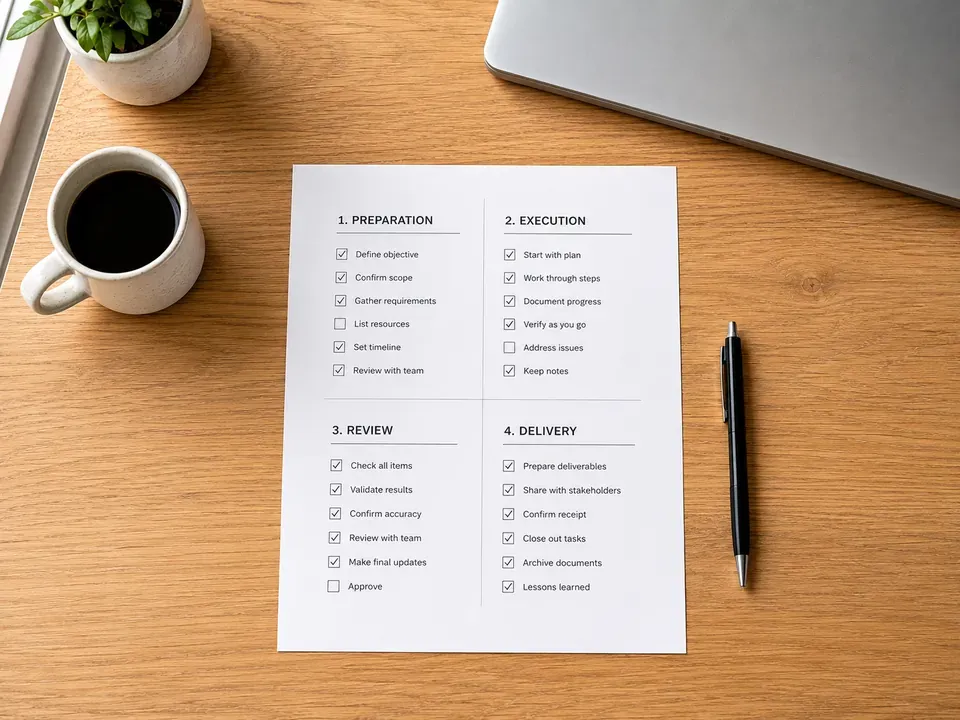
Four short requests cover almost all of the exposure here. None of them are confrontational, and a good partner answers all four quickly.
- Name the holder. Ask which Business Manager holds the pixel today, and ask for a screenshot rather than a summary.
- Move it or share it. Request that the pixel sits in your container with the agency added, not the reverse.
- Get it in the agreement. Then ask for one line confirming the pixel and its history stay with your business at the end of the term.
- Check the audiences too. Finally, confirm where the retargeting pools live, since they follow the same rules and rarely get mentioned.
Ask those before you need the answers. Of course, general footing on how vendor agreements should read sits in the SBA small business guidance, and Google documents the equivalent permission levels on its own products in Google's account access documentation.
More VenPro marketing insights
Frequently Asked Questions
It means the pixel follows the container, not the invoice. Whichever Business Manager holds the pixel keeps it and everything it has recorded. So an agency that holds your pixel also holds the conversion history your budget produced.
The pixel belongs to the Business Manager that holds it, in the same way an ad account does. If the agency Business Manager holds the pixel, the history built from your spend sits there too.
A pixel can be shared with another Business Manager, and in some cases ownership can be moved. Both require cooperation from the current holder, which is why this is a question to settle before you need the answer.
It starts with no history. The events, the conversion record and the optimization learning built over the previous period do not carry across, and the platform effectively treats the account as new.
There is no fixed answer and it depends on volume. The honest framing is that you are paying twice for learning you already bought once.
Settle Meta Pixel Ownership Agency Terms Before It Is Urgent
The meta pixel ownership agency question costs one email today and a full quarter later. So open Events Manager, read the owning business, and ask for the pixel to sit in your container. Then the history you paid for stays yours, whoever runs the campaigns next year.