Is Webflow good for SEO is the question every business owner asks when their designer recommends the platform. Specifically, the short answer is yes with qualifications that matter significantly. Furthermore, Webflow has genuine strengths that make it a legitimate choice for most small business sites. By contrast, it also has specific limitations that make it the wrong choice for others. Therefore, the difference is whether the platform's strengths align with your build's specific SEO requirements.
Quick answer block
Why Is Webflow Good for SEO at the Technical Foundation Level
Webflow generates clean, properly structured HTML without the plugin-dependency bloat that accumulates on heavily extended WordPress installs. Specifically, search engine crawlers read clean HTML more efficiently. Furthermore, clean code reduces the technical debt that slows both crawling and rendering. Therefore, a Webflow page that renders correctly on first load is more crawlable than a WordPress page requiring multiple plugin render passes. Consequently, the technical baseline is strong by default.
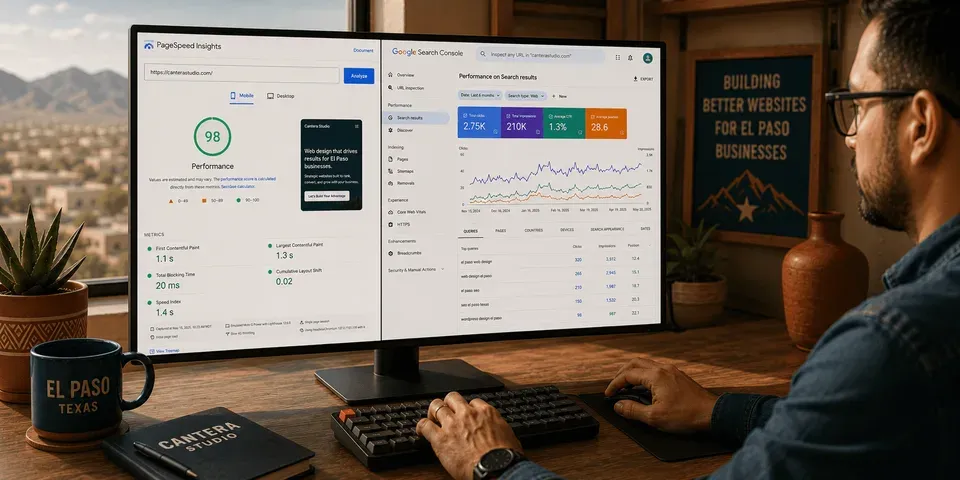
Core Web Vitals performance is the second technical foundation. Specifically, Webflow's managed hosting infrastructure is optimized for the three signals Google uses as direct ranking factors. Additionally, a well-built Webflow site consistently achieves PageSpeed scores in the 85 to 95 range on mobile. Moreover, that score range requires less post-build optimization than equivalent WordPress installs typically need. For the complete framework Google uses, the official Core Web Vitals reference covers each signal in detail.
Visual meta controls and automatic infrastructure round out the foundation. Specifically, title tags, meta descriptions, Open Graph tags, and canonical URLs are all editable at the page level without a plugin. Additionally, SSL and XML sitemap generation are included automatically. Furthermore, CDN-backed hosting provides fast load times for both users and Googlebot. As a result, the technical SEO baseline ships with the build rather than requiring weeks of post-launch optimization. To see how this plays out across both platforms, our guide on Webflow vs WordPress for small business covers every dimension in detail.
Webflow SEO Strengths and Limitations at a Glance
Here is the at-a-glance summary. Specifically, each row shows where Webflow earns its SEO credibility and where the platform's gaps matter for specific build types.
| SEO Capability | Webflow Verdict | What It Means | Materiality |
|---|---|---|---|
| Clean semantic HTML output | Strong | Crawlers read pages efficiently with no plugin bloat | Universal benefit |
| Core Web Vitals performance | Strong | Managed hosting baseline produces 85+ mobile scores | Direct ranking factor |
| Visual meta tag controls | Strong | Title, description, OG, canonical edited without plugin | Universal benefit |
| Automatic SSL and sitemap | Strong | HTTPS and XML sitemap included by default | Baseline expectation |
| Native hreflang for bilingual | Limited | Requires Weglot or custom code injection | Critical for bilingual builds |
| Complex schema markup | Limited native | FAQ, HowTo, Product schema need JSON-LD code | Material for content-heavy sites |
| SEO workflow plugin depth | No Yoast equivalent | Native controls sufficient, no deep tooling | Matters for content operations |
| CMS URL flexibility | Constrained | Collection URL patterns less flexible than WordPress | Matters for content taxonomies |
Is Webflow Good for SEO on Core Web Vitals Specifically?
Core Web Vitals are where Webflow produces its most measurable SEO advantage. Specifically, a well-built Webflow site consistently achieves mobile PageSpeed scores in the 85 to 95 range without aggressive post-build optimization. By contrast, a heavily-plugged WordPress install often requires significant optimization to reach the same range. Furthermore, sites on cheap shared hosting may not reach it at all regardless of effort. Therefore, the performance gap is real and has direct ranking implications through mobile-first indexing.
The three signals matter in plain language. Specifically, LCP measures how fast the main content of a page loads with a target under 2.5 seconds. Additionally, CLS measures how much the page layout shifts as it loads with a target under 0.1. Moreover, INP measures how quickly the page responds to user interaction with a target under 200 milliseconds. Consequently, these are technical thresholds that determine whether mobile users stay long enough to convert.
The honest context matters. Specifically, Webflow's advantage is in the baseline, not in any absolute performance ceiling. Furthermore, a well-optimized WordPress site on quality hosting can match a well-built Webflow site on Core Web Vitals. Additionally, an unoptimized Webflow site still fails Core Web Vitals just like any other platform with bad implementation. Therefore, the platform provides a better starting point, not a performance guarantee. For a closer look at performance-built foundations in practice, our project portfolio shows real El Paso builds where Core Web Vitals were built in from day one.
Is Webflow Good for SEO When Your Site Needs to Be Bilingual?
This is where the platform's most significant SEO limitation lives. Specifically, Webflow does not natively support hreflang tag implementation. Furthermore, hreflang tags are the signals that tell Google which language version of a page to serve to which audience. By contrast, WordPress handles hreflang through native multilingual plugins like WPML and Polylang. Consequently, the bilingual SEO architecture path is fundamentally different on each platform.
The practical cost comparison makes the gap concrete. Specifically, a bilingual El Paso build on WordPress uses WPML at $99 per year on standard hosting. By contrast, a bilingual Webflow build requires Weglot or similar at $180 to $588 per year depending on word count and pages. Additionally, the technical setup must implement hreflang signals correctly across every language pair through the third-party tool rather than through native platform capability. Therefore, the build is more expensive, more complex, and more dependent on a subscription layer WordPress does not require.
Why this matters for El Paso businesses specifically. Specifically, Spanish-language searches like "plomero en El Paso" and "dentista cerca de mí" represent a significant share of local commercial intent. Furthermore, a bilingual website without correct hreflang implementation either fails to rank for Spanish queries or risks Google indexing the wrong language for the wrong audience. Consequently, both outcomes directly reduce how many Spanish-speaking customers find the business through search. In short, for any El Paso business where Spanish-language search visibility is a growth driver, hreflang implementation is a platform-level decision that should be resolved before choosing Webflow.
Is Webflow Good for SEO Compared to WordPress on Specific Criteria?
Both platforms produce ranking sites when built and maintained correctly. Specifically, the distinction matters at the use-case level rather than the platform level. Furthermore, Webflow wins on technical performance baseline because of managed hosting and clean code. By contrast, WordPress wins on SEO feature depth through its Yoast and RankMath plugin ecosystem. Therefore, the right platform depends on which strengths align with your specific build.
Where Webflow's SEO is competitive or better. Specifically, Core Web Vitals baseline through managed hosting. Additionally, on-page SEO controls without plugin friction. Furthermore, clean code output that crawlers process efficiently. Moreover, automatic SSL and sitemap generation with no configuration. As a result, the technical foundation ships with the build.
Where WordPress's SEO is stronger. Specifically, native hreflang implementation through mature multilingual plugins. Additionally, deep schema markup controls through visual plugin interfaces. Moreover, full SEO workflow tooling through Yoast and RankMath. Furthermore, more flexible CMS URL architecture for complex content taxonomies. Consequently, WordPress is the better SEO platform for bilingual builds, content-heavy operations, and sites with complex schema requirements. For the complete platform decision framework, our guide on what is Webflow and is it right for my business covers every dimension before any commitment.
How to Test Your Current Webflow Site's SEO in 30 Minutes
Three free checks reveal whether the SEO foundation is working. First, run PageSpeed Insights on your URL with Mobile selected and write down the score. Second, search "site:yourdomain.com" in Google and confirm Google has indexed your pages. Third, open Search Console and check the Coverage report for crawl errors.
Three additional checks identify specific gaps. Specifically, check your title tags for location and service keywords in every page tab. Additionally, view your page source and search for "schema.org" to confirm structured data is present. Moreover, search your service in your city and check whether you appear on page one or in the map pack. Consequently, six checks in 30 minutes diagnose most Webflow SEO problems before any agency conversation.
How to Decide if Webflow Is the Right SEO Choice for Your Project
Three honest answers narrow the platform SEO decision quickly. Specifically, the answers reveal whether Webflow's strengths fit your specific requirements.
Is the build English-only or bilingual? If English-only, Webflow's SEO foundation is competitive with WordPress and the practical gap is small. By contrast, if bilingual or multilingual, WordPress's native hreflang ecosystem is the more practical SEO choice. Therefore, this single question often resolves the platform decision.
For El Paso operators specifically, our diagnostic guide on why is my website not getting traffic covers the bilingual gap as one of the seven most common causes.
Are Core Web Vitals or content workflow depth the SEO priority? Specifically, if Core Web Vitals matter most, Webflow's managed hosting baseline is a genuine advantage. By contrast, if content operations require Yoast workflow depth, WordPress is the more capable platform.
Will complex schema markup be needed across many page types? If FAQ, HowTo, Product, and Event schema across large site sections is required, WordPress's visual schema plugins are significantly more manageable. Consequently, content-heavy SEO operations often favor WordPress for this reason alone. Additionally, the VenPro contact form takes about ninety seconds if you want help making this call.
Frequently Asked Questions
Yes, Webflow is good for SEO for most standard English-language small business websites. Specifically, clean semantic HTML, strong Core Web Vitals performance, visual on-page meta controls, automatic SSL, and CDN-backed hosting give Webflow a legitimate technical SEO foundation. By contrast, bilingual builds requiring native hreflang are better served by WordPress.
Not natively. Specifically, Webflow does not have built-in hreflang tag support. Implementing hreflang on Webflow requires custom HTML code injection into each page's head section or a third-party multilingual app like Weglot at $180 to $588 per year. By contrast, WordPress implements hreflang natively through WPML at $99 per year.
Webflow wins on technical performance baseline through managed hosting and clean code. By contrast, WordPress wins on SEO feature depth through the Yoast and RankMath plugin ecosystem, native hreflang support, and deep schema controls. Therefore, for English-only standard builds the gap is small, but for bilingual builds WordPress is stronger.
Yes, Webflow websites rank in Google search results regularly and well. Specifically, Google evaluates pages on relevance, authority, technical health, and content quality. Furthermore, none of those are platform-dependent in a way that disadvantages Webflow. Consequently, platform choice does not determine ranking outcomes. Instead, build quality, content relevance, and authority signals do.
Five significant limitations. Specifically, no native hreflang for bilingual builds, limited native schema markup controls, no Yoast or RankMath equivalent for deep SEO workflow tooling, CMS collection URL structure constraints, and JavaScript rendering considerations for dynamic content. Therefore, none disqualify Webflow for standard English-only builds, but bilingual builds are materially affected.
Ready to Build on the Platform That Fits Your SEO Goals?
Is Webflow good for SEO has a real answer for your specific project. Specifically, English-only standard builds get most of WordPress's SEO capability with less ongoing complexity. By contrast, bilingual builds and content-heavy operations are better served by WordPress's deeper SEO ecosystem. Therefore, the platform decision should follow your specific requirements, not a generic preference. In short, a 30 minute conversation tells you which platform's SEO strengths align with your goals.