google business profile optimization is one of the most practical ways to help local customers find, trust, and contact your business. When someone searches for a nearby service, your profile may appear before they ever visit your website. Therefore, it needs to do more than exist. It needs to show accurate information, answer buyer questions, earn trust, and move people toward a call, click, direction request, booking, or visit.
Quick answer block
Why Your Google Business Profile Matters
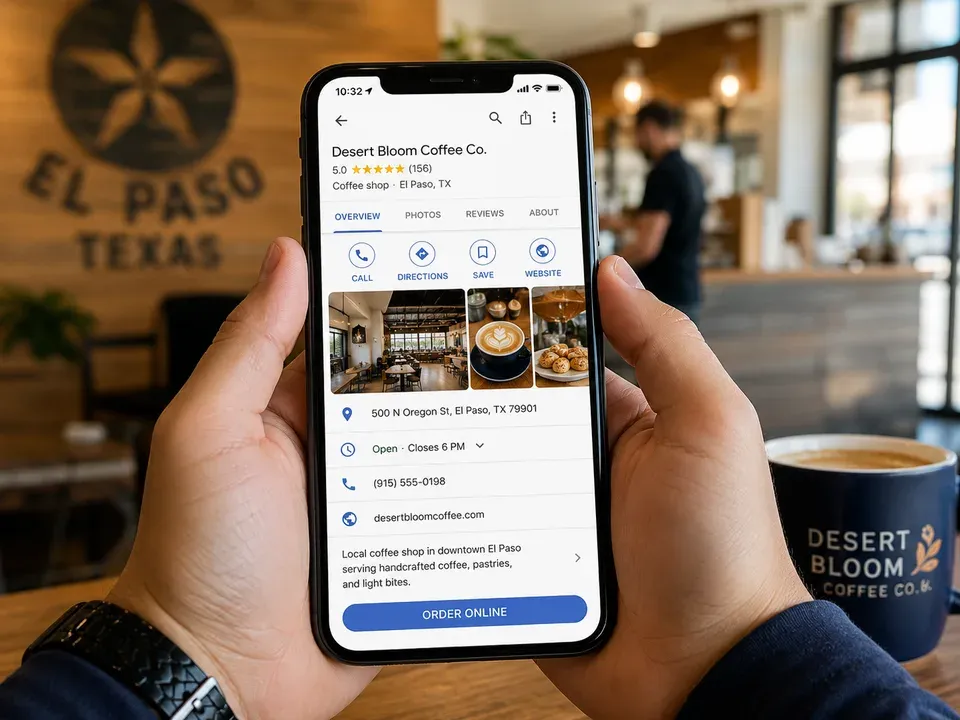
A Google Business Profile is often the first local-search touchpoint. It can show your business name, category, address or service area, hours, phone number, website, reviews, photos, services, products, posts, and questions. In short, it gives customers enough information to decide whether to call you or keep scrolling.
Google says businesses need to verify their profile to edit business information and interact with customers, which makes verification the foundation before deeper profile improvements. Google also says complete and accurate business information can help it better understand a business and match it to relevant local searches. Review Google’s verification guidance.
Google explains that local results are based mainly on relevance, distance, and prominence. Your profile influences relevance through categories, services, and business details. It influences prominence through reviews, activity, links, and overall reputation signals. Review Google’s local ranking guidance.
Google Business Profile Optimization at a Glance
Use this table to prioritize updates by visibility, trust, and lead impact. The strongest results usually come from improving the profile, website, reviews, and tracking together.
| Profile area | What it improves | Common problem | Lead impact | Priority |
|---|---|---|---|---|
| Verification | Ownership and control | Profile is unclaimed or restricted | Enables edits and customer interaction | Critical |
| Categories | Search relevance | Primary category is too broad | Better match for local searches | Critical |
| Services and products | Buyer clarity | Missing or vague service list | More qualified calls and clicks | High |
| Photos and posts | Trust and activity | Outdated or no visual proof | Higher confidence before contact | Medium |
| Reviews and replies | Prominence and trust | Few recent reviews or no responses | Stronger customer confidence | High |
| Website and tracking | Conversion | Weak landing page or no lead data | More measurable calls and forms | Critical |
Verify and Complete the Profile First
The first step is control. If the profile is not verified, you may not be able to update key business information, respond properly, or manage how the business appears on Search and Maps. Therefore, verification should come before deeper profile improvements.
After verification, complete the basics. Review your business name, primary category, secondary categories, address or service area, phone number, website URL, hours, holiday hours, business description, services, products, appointment links, photos, and attributes.
Accuracy matters. A wrong phone number, outdated hours, or mismatched service area can frustrate customers and weaken trust. Also, incomplete information makes your business harder to match to the right searches.
Choose Categories, Services, and Service Areas Carefully
Categories are one of the most important relevance signals in a Google Business Profile. Your primary category should describe the core business as specifically as possible. Then, secondary categories should support real services you actually provide.
For example, a dental office may need a primary category like “Dentist,” while secondary categories could support specialty services if they are accurate. A contractor, restaurant, clinic, or marketing agency should follow the same rule: choose categories that match the business, not categories that simply sound useful.
Services and products also help customers understand what you do. Do not leave them vague. A service list should name the actual things customers search for, such as consultations, repairs, inspections, installations, design, SEO, paid advertising, or maintenance.
Use Photos, Posts, and Q&A to Build Trust
A strong profile should feel active. Photos, updates, and Q&A help show customers that the business is real, current, and ready to help.
Photos can show your storefront, team, work, products, vehicles, before-and-after examples, office, or customer experience. In addition, updated photos can reduce uncertainty for first-time customers.
Posts can highlight offers, announcements, events, seasonal needs, new services, or helpful reminders. Similarly, Q&A can reduce friction. If customers often ask about pricing, service areas, booking steps, turnaround times, parking, consultations, or emergency availability, answer those questions clearly.
Connect the Profile to a Strong Website
Your profile can create visibility, but your website often turns interest into action. Therefore, the website link on your profile should lead to a page that supports the searcher’s next step.
For many businesses, the homepage is fine. However, a specific service page, booking page, contact page, or location page may work better depending on the search intent. If someone is looking for SEO help, they should not have to dig through a generic page to understand the offer.
VenPro’s SEO services connect Google Business Profile support with technical SEO, local SEO, content strategy, authority signals, and lead tracking. That way, your profile does not sit alone. It becomes part of a bigger local visibility system.
Reviews Are Part of Profile Optimization
Reviews are central to trust, comparison, and local prominence. A profile with recent, detailed, positive reviews can feel more credible than one with old or unanswered feedback.
Ask happy customers for reviews in a simple and ethical way. Make the request easy, but do not pressure people or offer rewards. Afterward, respond to reviews with a human tone. Thank positive reviewers, address concerns respectfully, and show future customers that your business pays attention.
Review quality matters too. A review that mentions the service, city, problem solved, team member, or customer experience can be more helpful to buyers than a one-word rating. Of course, you cannot control exactly what customers write. However, you can create better experiences and make it easy for people to share them.
Track Calls, Clicks, and Customer Actions
The best profile work is measured by business outcomes. Views and impressions can be useful, but they are not enough. You also need to know whether people are calling, clicking, booking, requesting directions, visiting your website, and becoming leads.
Track profile actions, website sessions from the profile, call clicks, form submissions, booking clicks, and lead quality. Also, compare what happens after someone clicks from the profile to your website. If traffic increases but leads do not, the landing page may need clearer messaging, stronger proof, or a better CTA.
This is where profile management becomes a growth system. The profile attracts local attention. The website explains the offer. Reviews build trust. Tracking shows what is working. Then, you can improve the pieces that actually drive revenue.
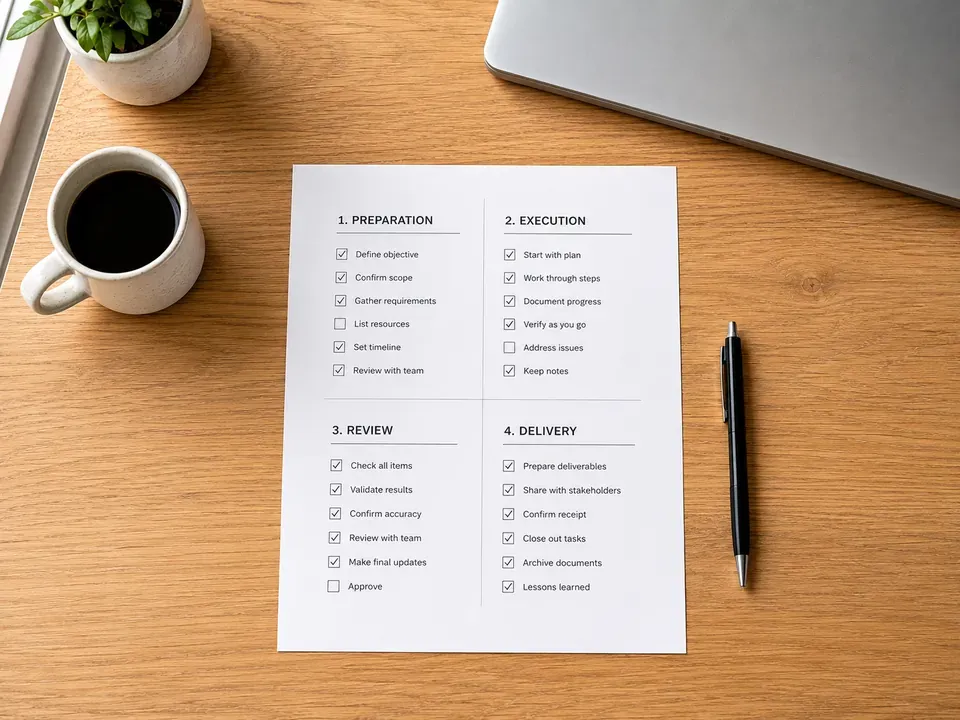
Google Business Profile Optimization Checklist
Use this checklist to turn your profile into a stronger local lead engine.
- Verify your profile. Make sure you can edit information and manage how your business appears on Google.
- Confirm business information. Check your name, address, phone number, website, hours, holiday hours, and service area.
- Choose the right categories. Use the most accurate primary category and only add secondary categories that fit real services.
- Complete services and products. Name what customers search for, and connect those services to relevant website pages.
- Add current photos. Show your team, location, products, work, vehicles, or customer experience.
- Use posts and updates. Share offers, announcements, seasonal reminders, and helpful service information.
- Answer common questions. Use Q&A to reduce hesitation before customers call, book, or visit.
- Earn and reply to reviews. Ask consistently, respond professionally, and treat reviews as trust assets.
- Strengthen the website path. Send visitors to a page that matches their intent and makes the next step clear.
- Track lead actions. Measure calls, clicks, forms, bookings, directions, and customer quality.
Frequently Asked Questions
google business profile optimization means improving your Google Business Profile so it is accurate, complete, trusted, active, and useful for local customers. It includes verification, categories, services, photos, reviews, Q&A, posts, website links, and tracking customer actions.
Yes. A complete and accurate profile helps Google understand your business and can support local visibility in Search and Maps. Google says local results are based mainly on relevance, distance, and prominence, so profile accuracy, reviews, categories, and activity all matter.
Review your profile at least monthly, and update it whenever hours, services, photos, offers, or business details change. Also, respond to reviews consistently and add timely posts when they help customers make a decision.
Start with verification, business information, categories, services, hours, phone number, website link, and service areas. Then improve photos, reviews, posts, Q&A, and tracking. The highest priority is making the profile accurate, complete, and conversion-ready.
Yes. VenPro can help audit your profile, improve local SEO signals, clean up business information, strengthen service pages, support review strategy, improve website conversion paths, and track which actions turn into leads.
Turn Your Profile Into a Local Growth System
google business profile optimization works best when it is connected to the rest of your digital presence. Your profile should not be an isolated listing. It should connect to your website, reviews, service pages, local content, tracking, and sales process.