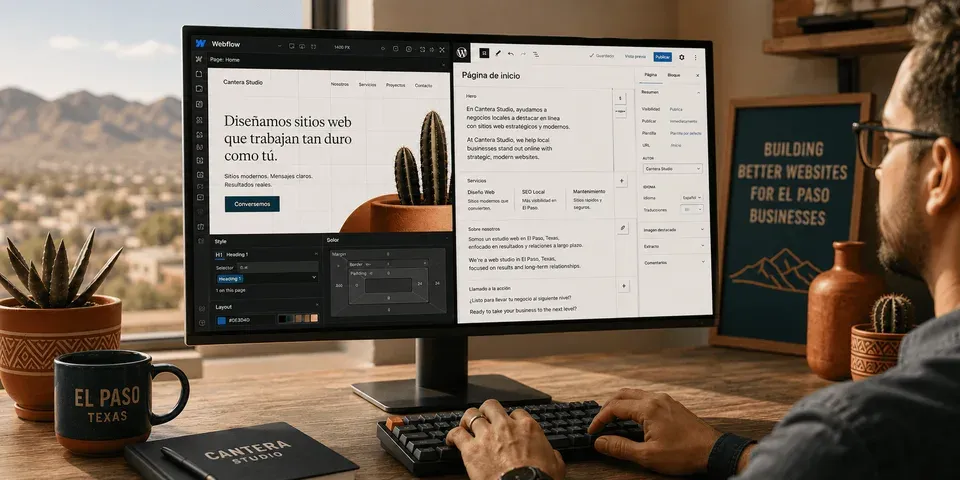
Webflow vs WordPress for small business is the platform decision every owner faces before any design work begins. Specifically, most comparisons are written by people who prefer one platform and are making the case for it. By contrast, this one is not. Furthermore, VenPro builds on both. Therefore, the recommendation comes from the project's goals, not a platform preference locked in before the conversation started.
Quick answer block
Why Webflow vs WordPress for Small Business Is the Wrong Way to Frame It
The honest question is not which platform wins overall. Instead, it is which platform fits your specific project. Specifically, WordPress is open-source software you install on a hosting server you choose. By contrast, Webflow is a subscription platform where design, CMS, and hosting are bundled. Therefore, the two are built on fundamentally different philosophies. Consequently, every downstream decision flows from that architectural difference.
WordPress offers more ownership and extensibility. Specifically, you control the hosting environment and extend functionality through over 60,000 plugins. However, you also carry more responsibility for maintenance and security. By contrast, Webflow offers managed simplicity with less technical overhead. Furthermore, that simplicity comes with ongoing subscription dependency. Consequently, the comparison is between flexibility and managed convenience, not between good and bad platforms.
Both produce professional, high-performing websites when built well. Specifically, the differences that matter are in how you pay for them, who maintains them, and which specific use cases each handles best. Additionally, the bilingual SEO dimension is decisive for businesses serving Spanish-speaking customers. Therefore, the framing should be project-specific. In short, asking which platform is better universally produces an unreliable answer every time.
Webflow vs WordPress at a Glance
Here is the at-a-glance comparison across the criteria that matter for small business buyers. Specifically, neither platform dominates across all rows. Furthermore, the right choice depends on which rows matter most for your project.
| Criterion | Webflow | WordPress | Edge | Note |
|---|---|---|---|---|
| Design flexibility | Exceptional, pixel-level visual control | High with builder, more abstraction | Webflow | Matters for brand-forward firms |
| SEO capability | Strong, clean code, fast load | Excellent with Yoast or RankMath | Tie | Both rank well when built right |
| Ease for non-developers | Moderate, steeper for non-technical editors | Higher, familiar dashboard | WordPress | Critical for daily self-editing |
| Hosting model | Bundled subscription | Self-hosted, own the environment | WordPress for ownership | WordPress avoids platform lock-in |
| Monthly cost | $14–$36/site/month + build | $20–$100/month hosting + build | Tie | Comparable, structure differs |
| Plugin/app ecosystem | Growing, some gaps remain | Massive, 60,000+ plugins | WordPress | Matters for complex functionality |
| Bilingual SEO | Limited native, third-party required | Excellent native, WPML or Polylang | WordPress | Decisive for bilingual markets |
| E-commerce | Webflow Commerce, design-forward | WooCommerce, mature and extensible | WordPress for catalogs | WooCommerce handles complexity |
| Developer availability | Smaller pool, often more expensive | Vast global talent pool | WordPress | Affects long-term support |
Webflow vs WordPress for Small Business When SEO Is the Priority
For English-language single-locale websites, both platforms compete head to head on SEO. Specifically, Webflow produces clean semantic HTML without plugin-dependency bloat. Furthermore, Core Web Vitals scores on well-built Webflow sites are consistently strong. Additionally, SSL is included, sitemaps generate automatically, and meta fields are editable visually. Therefore, the technical SEO baseline is excellent right out of the build.
WordPress's SEO advantages live in the plugin ecosystem. Specifically, Yoast and RankMath provide deeper on-page SEO control than Webflow's native tooling. Additionally, schema markup, breadcrumb navigation, advanced redirect management, and readability scoring are all more mature in the WordPress ecosystem. Moreover, WordPress has a decades-long track record of ranking well in Google. Consequently, SEO professionals globally understand it more deeply than any other CMS.
The bilingual SEO distinction is where the platforms diverge sharply. Specifically, Webflow does not natively support hreflang implementation in the structured way WordPress multilingual plugins do. Therefore, building proper bilingual architecture on Webflow requires third-party tools like Weglot that add $180 to $588 annually. By contrast, WordPress's WPML or Polylang handles this natively for $99 per year. Consequently, for any small business serving Spanish-speaking customers through search, this is a platform-level decision that affects every Spanish ranking the site will ever achieve. For the full local-market dimension, our guide on what is Webflow and is it right for my business covers every local consideration in detail.
Webflow vs WordPress for Small Business When You Compare Total Cost
Build cost is comparable at the same quality tier. Specifically, a mid-range professional build runs $3,500 to $7,000 on either platform. However, the ongoing cost structure differs in ways that matter over a 24-month window. Furthermore, the difference compounds when bilingual capability is part of the requirement. Therefore, the right comparison includes Year 1 and Year 2 totals, not just the launch invoice.
Webflow's Year 2 costs are lower at the mid-range tier than WordPress. Specifically, managed hosting eliminates most plugin maintenance overhead. However, the platform subscription continues indefinitely. By contrast, WordPress Year 2 includes hosting plus the maintenance that a self-hosted environment requires. As a result, the totals end up close on a per-year basis but the structure is meaningfully different.
Bilingual builds tilt the math toward WordPress. Specifically, WPML at $99 per year versus Webflow's multilingual app subscriptions at $180 to $588 annually narrows Webflow's maintenance advantage significantly. Consequently, for businesses with bilingual requirements, WordPress is typically cheaper long-term. For more on the full investment picture and timeline expectations, our guide on how long it takes to build a website covers what to plan for from kickoff to launch.
Webflow vs WordPress for Small Business When Non-Technical Editors Run the Site
Editing content after launch is where WordPress wins clearly. Specifically, the dashboard is the most widely understood CMS interface in the world. Furthermore, business owners who have never used a CMS can typically learn to publish posts, update pages, and manage media within a few hours. By contrast, Webflow's editor is capable but less familiar and less widely documented for non-technical users. Consequently, the daily editing reality favors WordPress for self-editing teams.
Building the site has a different answer. Specifically, Webflow's drag-and-drop canvas gives designers precise control without code. As a result, what gets designed is what gets built. By contrast, for a non-designer building without agency support, WordPress with a page builder like Elementor is more forgiving with more widely available tutorials. Therefore, the build-versus-edit split is the right way to think about this dimension.
For businesses with bilingual content needs, WordPress's accessibility advantage compounds further. Specifically, a Spanish-speaking team member updating the Spanish version of the site daily benefits from the familiar dashboard. Additionally, the person doing the editing daily needs an interface that works for them, not just for the agency that built the site. Consequently, for self-editing teams in bilingual markets, WordPress is the clearer practical choice. To see how a connected build looks in practice, our project portfolio shows real campaigns across both platforms.
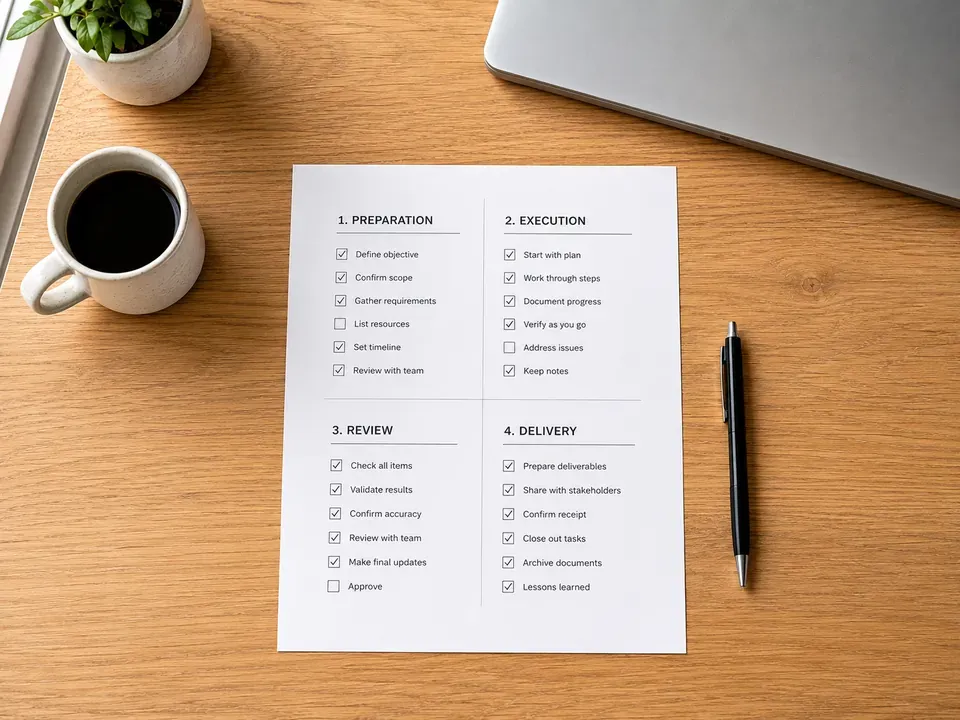
How to Pick the Right Platform in 30 Minutes
Three questions resolve most platform debates quickly. Specifically, honest answers usually point at one platform clearly. Furthermore, ambiguous answers usually mean the project is more flexible than the owner assumed.
First, does your business need bilingual SEO to reach a Spanish-speaking market? If yes, WordPress's native multilingual ecosystem is almost certainly right. Second, will non-technical team members update the site regularly after launch? If yes, WordPress's familiar dashboard wins on day-to-day editing. Third, is visual brand precision your single highest priority above bilingual reach and self-editing? If yes and the site is English-primary, Webflow earns serious consideration.
How to Decide if a Custom Build Is the Right Call Instead
Most small businesses are best served by one of these two platforms. By contrast, a custom build is the right call only in specific scenarios. Specifically, when performance, functionality, or design requirements genuinely exceed what either platform delivers off the shelf.
Are your data structures or integrations unique? If a CRM, ERP, or proprietary workflow needs deep integration that no plugin or app handles cleanly, a custom build may be justified. Therefore, custom is sometimes the right answer for enterprise-adjacent SMBs.
Does long-term ownership of every technical decision matter more than speed and cost? If yes, custom code removes platform dependency entirely. However, custom builds carry higher build cost and require ongoing developer access. Consequently, the trade-off is real.
Have you outgrown what either platform delivers? If your existing site is hitting hard ceilings on both Webflow and WordPress at scale, custom is the natural next step. Additionally, the VenPro contact form takes about ninety seconds to start that conversation.
Frequently Asked Questions
For most small businesses, WordPress is the more practical choice. Specifically, bilingual SEO, regular self-editing, plugin extensibility, and long-term cost flexibility all favor WordPress. By contrast, Webflow wins for design-forward, English-primary builds where visual precision is the single highest priority and content updates are infrequent.
For English-language single-locale sites, Webflow's SEO is competitive with WordPress. Specifically, clean semantic code, fast Core Web Vitals, and visual meta controls produce strong results. However, for bilingual sites requiring hreflang, WordPress handles it more cleanly through native plugins like WPML at lower long-term cost.
Year 1 costs are often comparable since build cost dominates. Furthermore, Webflow's Year 2 managed hosting eliminates plugin maintenance while adding subscription fees. By contrast, WordPress requires maintenance but avoids platform fees. For bilingual builds, WordPress is typically cheaper long-term because of native multilingual plugin pricing.
Yes, but migration carries real cost and complexity. Specifically, switching means rebuilding the site, migrating content, implementing redirect mapping to preserve SEO equity, and retraining editors. Furthermore, improper redirects during migration can eliminate years of accumulated SEO equity in hours. Therefore, starting on the right platform is almost always more cost-effective.
Webflow is lower-maintenance technically. Specifically, managed hosting handles security updates and server maintenance. By contrast, WordPress requires plugin updates, security patches, backups, and periodic performance tuning. However, Webflow's content editor has a steeper learning curve than WordPress's widely familiar dashboard for non-technical editors.
Ready to Pick the Right Platform for Your Project?
Webflow vs WordPress for small business has a real answer for your specific project. Specifically, it depends on bilingual needs, content editing frequency, and design priorities. Furthermore, the wrong platform creates friction that compounds over the months and years after launch. Therefore, getting this right at discovery saves migration cost and SEO equity later. In short, a 30 minute platform conversation tells you which foundation fits your goals.