How to migrate from WordPress to Webflow without losing rankings is the single most important question to answer before you start. Specifically, done correctly, the migration produces a faster, more visually precise site that performs well in search from day one. By contrast, done incorrectly, it can destroy years of accumulated SEO rankings in a single weekend. Therefore, this guide gives you the framework to do it the right way.
Quick answer block
Why How to Migrate From WordPress to Webflow Is More Than a Design Decision
A platform migration is not just a redesign. Specifically, it is a complete URL structure change that Google treats as new pages with zero ranking history. Therefore, your existing rankings are not attached to your content. Instead, they are attached to your URLs. Consequently, when URLs change, Google treats the new URLs as entirely new pages unless you explicitly tell it where each old URL moved.
That signaling happens through 301 redirects. Specifically, a 301 tells Google a page has permanently moved and to transfer all ranking signals to the new URL. Without them, every page that changes URL loses its rankings and starts over from zero. Furthermore, inbound backlinks pointing to old URLs lose their link equity entirely. As a result, the ranking power that took months or years to accumulate evaporates.
Bilingual sites carry compounding risk. Specifically, you are not just mapping English URLs to new Webflow equivalents. Additionally, you are rebuilding the entire Spanish URL structure in Webflow's more complex multilingual environment. Furthermore, hreflang signals need to be reconstructed through third-party tools rather than carried over natively. Consequently, every Spanish-language ranking your site has earned is at risk if the bilingual architecture is not rebuilt correctly. For the upstream decision on whether to migrate at all, our guide on Webflow vs WordPress for small business covers every trade-off before you commit.
Migration Timeline by Site Type at a Glance
Here is the at-a-glance timeline expectation by site type. Specifically, the timeline scales with content volume, SEO equity, and bilingual scope.
| Site Type | Typical Timeline | Primary Complexity Driver | DIY Feasibility | SEO Risk Level |
|---|---|---|---|---|
| Simple brochure (under 10 pages, no blog) | 2 to 4 weeks | Content recreation, basic redirect map | Feasible with care | Low if redirects are complete |
| Mid-range business (10 to 30 pages, active blog) | 4 to 8 weeks | Blog migration, SEO metadata rebuild | Moderate, SEO knowledge required | Moderate |
| Content-heavy (30+ pages, large blog archive) | 8 to 12 weeks | Full content migration, comprehensive redirect map | Not recommended | High |
| Bilingual site (any size) | Add 30 to 50% to any estimate | Dual-language content, multilingual tool, hreflang rebuild | Not recommended | Very High |
| E-commerce site | 10 to 16 weeks | Product catalog, payment, shipping, order history | Not recommended | High |
How to Migrate From WordPress to Webflow: The Pre-Migration Checklist
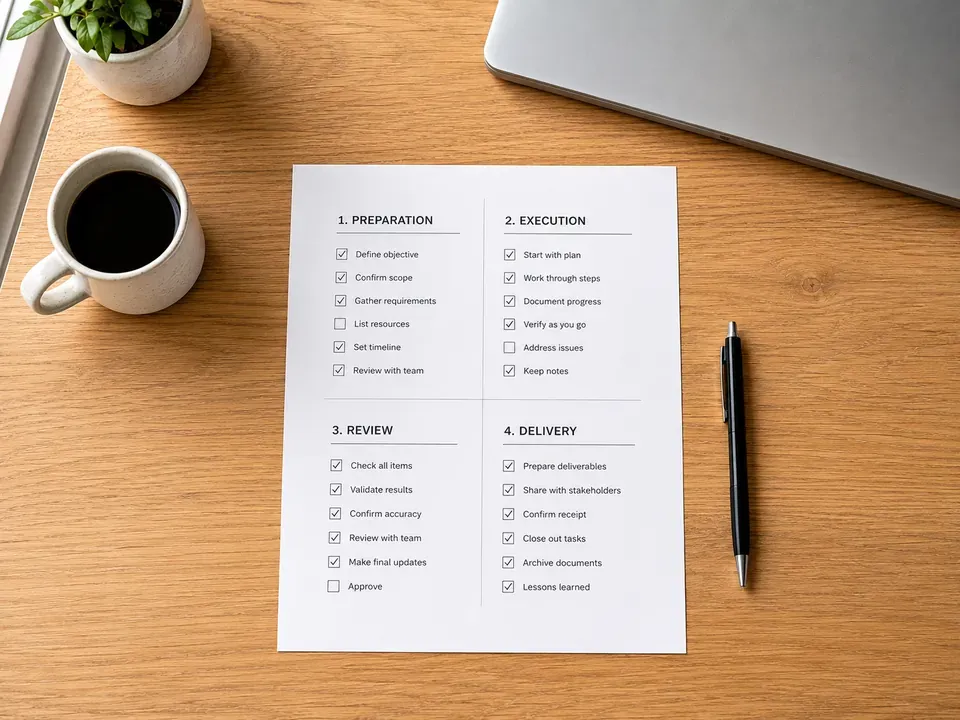
The most critical work happens before the migration begins. Specifically, skipping pre-migration preparation is the primary reason DIY migrations destroy SEO equity. Furthermore, the failure is not technical incompetence during the build. Instead, it is missing baseline data that would have caught problems before they went live. Therefore, eight pre-migration actions are required before touching the live site.
First, run a full site crawl and URL inventory using Screaming Frog or Search Console. Specifically, document every URL currently indexed by Google. Additionally, capture the Google Search Console baseline including current rankings, impressions, clicks, and average position for every page. Furthermore, run a backlink audit to identify which URLs carry the most inbound link equity. Consequently, you now have three master documents that drive every downstream migration decision.
Next, complete a content inventory, capture current Core Web Vitals scores, back up analytics configurations, confirm DNS access credentials, and verify your Webflow plan supports the site's requirements. For bilingual builds, add a ninth item: a complete hreflang tag inventory documenting every language pair your WPML or Polylang setup currently manages. Additionally, that map becomes the blueprint for rebuilding hreflang in Webflow. Therefore, this step alone justifies professional migration management for sites with established bilingual equity.
How to Migrate From WordPress to Webflow Step by Step
With pre-migration preparation complete, the actual migration follows a defined sequence. Specifically, the order matters because each step creates dependencies for the ones that follow. Furthermore, skipping ahead creates SEO risks that are difficult to reverse. Therefore, the ten steps below are sequenced for a reason.
First, build the Webflow site in staging on a subdomain. Second, recreate URL structure in Webflow matching WordPress slugs wherever possible. Third, export and migrate content using Webflow's WordPress importer. Fourth, rebuild SEO metadata manually for every page. Fifth, build the complete 301 redirect map. Additionally, the live WordPress site stays live and ranking throughout this build. Consequently, you never take the existing site down during migration.
The remaining five steps cover bilingual architecture configuration, analytics and tracking verification, full QA on staging, DNS transfer and go-live, and post-launch monitoring. Specifically, post-launch monitoring includes submitting an updated sitemap in Google Search Console, watching for crawl errors daily for the first two weeks, and tracking ranking changes against the pre-migration baseline. Furthermore, this monitoring window catches indexing issues before they compound. To see how migrations fit within full project timelines, our guide on how long it takes to build a website covers expected ranges across project types.
How to Migrate From WordPress to Webflow Redirects Without Breaking Rankings
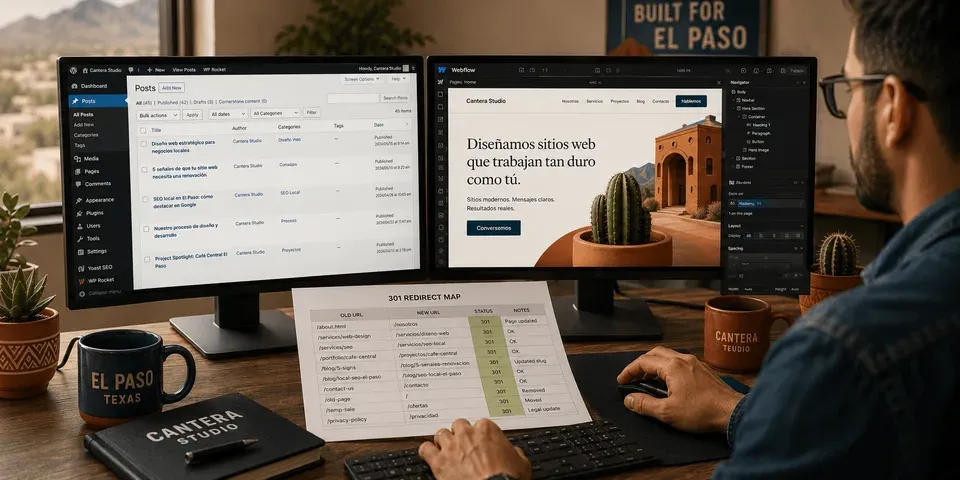
If there is one section to read twice, it is this one. Specifically, redirect mapping is the single step that determines whether the migration preserves or destroys your SEO equity. Furthermore, a 301 redirect tells Google that a page has permanently moved and to transfer all ranking signals to the new URL. By contrast, a missing 301 tells Google the page no longer exists. Consequently, the result is a 404 error, a dropped ranking, and lost link equity for every URL without a redirect.
Building the redirect map starts with your URL inventory. Specifically, for every URL on the list, identify the corresponding Webflow URL. Additionally, if you matched URL slugs in step two of the migration, many of these will be identical and require no redirect. By contrast, for every URL that changed, create a row in your redirect map. Furthermore, prioritize URLs with inbound backlinks first because they carry the most ranking equity and have the least margin for error.
Common redirect mistakes are predictable and avoidable. Specifically, missing redirects for low-traffic pages, redirect chains where A goes to B which goes to C, using 302 temporary redirects instead of 301 permanent ones, redirecting all old URLs to the homepage, missing category and tag archive redirects, and forgetting to redirect feed and sitemap URLs. Therefore, each mistake has predictable SEO consequences. Consequently, testing every redirect with a checker tool before DNS transfer is non-negotiable. For El Paso businesses with established bilingual WordPress SEO equity, this step alone justifies professional migration management, our project portfolio shows real campaigns where this groundwork was built in.
What the Webflow WordPress Importer Actually Handles
The Webflow WordPress importer handles content migration partially. Specifically, it covers basic page and post body content, embedded images, headings, and published dates for blog posts. Furthermore, that is roughly 60 to 70% of the migration scope for a typical small business site. By contrast, the remaining 30 to 40% requires manual work regardless of site complexity.
Manual migration is required for all SEO metadata, custom fields and ACF data, plugin-generated content like contact forms and event calendars, navigation menus, and image alt text. Additionally, for bilingual sites, the importer handles one language version at a time. Therefore, Spanish content requires a completely separate migration workflow. Consequently, planning for the manual scope from day one is the difference between a migration that finishes on time and one that drags weeks past launch.
How to Migrate From WordPress to Webflow Decision: When Migration Is Worth It
Three honest answers narrow the migration decision fast. Specifically, the answers point to whether to migrate, redesign on WordPress instead, or do nothing right now.
Does your site generate meaningful leads from organic search right now? If yes, the migration risk requires professional management. Therefore, DIY migration is not the right path because the cost of getting it wrong is your primary revenue channel.
Does your site have bilingual SEO architecture that is currently performing? If yes, the migration adds cost and ongoing subscription overhead that a WordPress redesign avoids entirely. Consequently, redesigning on WordPress is often the better path.
Is visual design precision worth the migration complexity and risk for your specific business? If yes and the site is English-only, Webflow migration is a defensible choice with the right professional support. By contrast, if either answer was a hedge, the migration is likely not the right move.
If two or more answers point away from migration, redesigning on WordPress preserves what you have built. Additionally, the VenPro contact form takes about ninety seconds to start that conversation.
Frequently Asked Questions
How to migrate from WordPress to Webflow without losing SEO requires four non-negotiables. Specifically, a complete URL inventory, accurate 301 redirect mapping from every old URL, full SEO metadata reconstruction, and post-launch Search Console monitoring. Furthermore, for bilingual sites, the hreflang architecture rebuild adds a second layer of risk requiring specialist execution.
Partially. Specifically, Webflow's WordPress importer handles basic page and post content, embedded images, headings, and published dates. By contrast, it does not reliably migrate SEO metadata, custom fields, plugin-generated content, navigation menus, or image alt text. Therefore, expect to manually rebuild 30 to 40% of content for most sites.
Simple brochure sites under 10 pages take 2 to 4 weeks. Specifically, mid-range business sites take 4 to 8 weeks, content-heavy sites with 30+ pages take 8 to 12 weeks, and e-commerce migrations run 10 to 16 weeks. Furthermore, bilingual migrations add 30 to 50% to any estimate due to dual-language content and hreflang rebuild scope.
SEO equity loss through incomplete redirect mapping is the primary risk. Additionally, lost inbound link equity when high-authority URLs change without redirects, broken bilingual hreflang architecture for multilingual sites, missing SEO metadata on rebuilt pages, and analytics gaps during transition. Consequently, all are preventable with proper pre-migration prep, but none are recoverable post-launch.
If your WordPress site has established SEO equity, bilingual architecture, or generates meaningful organic leads, redesigning on WordPress preserves everything while delivering design improvement without migration risk. By contrast, if visual design precision is the overriding priority and the site is English-only, Webflow migration earns its place with the right professional support.
Ready to Migrate or Reconsidering Whether to Move at All?
How to migrate from WordPress to Webflow has a complete framework above. Specifically, the redirect mapping step is where most DIY migrations fail. Furthermore, if you are still committed to moving to Webflow, spend more time on that step than any other. By contrast, if the migration complexity has you reconsidering, that is a reasonable conclusion for businesses with established SEO equity. In short, the design improvement is real and so is the risk of destroying rankings that took years to build.